Short-video script writing
Turn your idea into a ready-to-film script
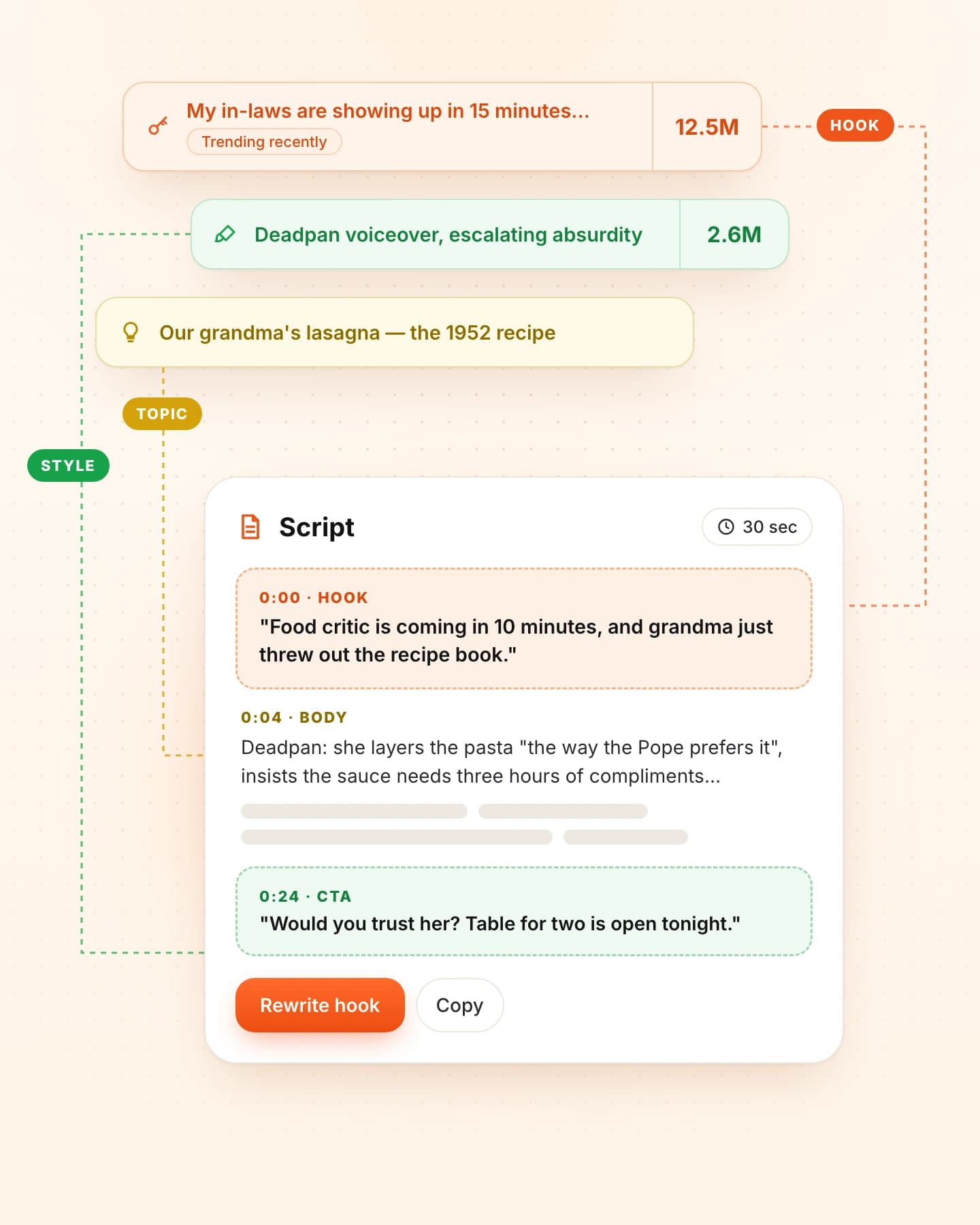
Start with a topic, or bring a reference you have already analyzed in Trendread. Describe your audience, tone and intended length to generate a written draft for a Reel or TikTok. Review the hook options, timed sections, call to action and delivery notes, then refine the draft before you film.
Sign in to continue. Plan and credit limits apply.
How it works
Your input → a useful next step
- 01
Describe the video
Enter your topic and, if useful, your niche and audience. Choose a tone and a target length. A decoded reference is optional when you begin from your own idea.
- 02
Review a structured draft
Generate hook options, a body arranged into timed sections, a call to action and notes for delivery. Your saved voice profile can help guide the language and context.
- 03
Ask for a revision
Request a clearer opening, a different tone or another change in the script editor. Saved versions let you compare drafts before choosing what to film.
What you can take into your next video
Write from your own brief
You can start with an idea alone. When you use an analyzed video, its breakdown adds a structural reference for your new topic.
Keep filming in mind
Hook options, section timecodes and delivery notes give you a practical written outline. Read it aloud and adjust the pace to your own performance.
Refine without losing the earlier draft
Use revision requests to develop the script. Earlier saved versions remain available in the editor so you can compare approaches.
Keep the context
What this can and cannot tell you
- The output is a written script. Trendread does not generate the finished video, record a voiceover or edit footage in this workflow.
- AI drafts can contain errors or unsuitable claims. Check the facts, rights and wording before filming or publishing.
- Requested lengths and timecodes are planning aids. Your delivery determines the final running time, and no script guarantees views or engagement.
- Sign in to generate or revise a script. These actions use credits and are subject to your plan; attaching a reference requires its Decode analysis first.
Questions before you start
Do I need a reference video?
No. You can generate a script from your topic alone. If you choose to use a reference, analyze it with Decode first so the script workflow can use its breakdown.
What is included in a generated script?
The structured draft includes a title, hook options, body sections with timecodes, a call to action and delivery notes. Review and revise the content before treating it as your filming script.
Can the script use my tone of voice?
Your tone setting and saved voice profile can guide generation, including your style, niche and audience. They provide context for the AI; you still decide whether the result sounds like you.
Is this a transcript extractor?
This workflow writes a new script from your brief. To study what was said in a source video, use its Decode view and available speech transcript instead.
Make the next step concrete